# Enovate IT-QMS-PL01-Project Plan-[FlowCast]-V1.0 # **Tools & Services** 1. Gemini Flash 2.5/Gemini Flash 2.5 Lite/Gemini Flash 2.5 Pro 1. Code analysis 2. Steps and flow generation 3. Video analysis 4. Generation of timestamps, subtitles, transcripts 5. Generate FFMPEG script to edit the video 2. Gemini embedding model 1. Steps and flow embedding 3. Gemini Flash 2.5 TTS OR Tortoise TTS 1. Voiceover generation 4. Langchain to build automatic agents that will handle standardized communication with the AI models 5. Minio docker to store video files, audio files, uploaded code 6. Postgres database 7. Postgres plugin pgvector for vector database OR Qdrant vector database OR Weaviate vector database 8. **Paid service required [Gemini Developer API Paid Tier](https://ai.google.dev/gemini-api/docs/pricing)** # **Project Flow** 1. Setup Flow 1. Cypress/Playwright repo uploaded by QA/project owner 2. AI indexes the code-base and generates the steps being performed by the automation 3. AI creates vector embedding for the steps and uses it as the source of truth 4. Generate Vector embedding and metadata for the scripts 1. Store the vector embedding into the vector database 2. Store the metadata about all the steps into the database 3. Store the code into storage bucket 2. Prompting Flow 1. User/QA Input Prompts(ex: Generate demo for adding user to org ) / Prompts through API 2. Check if the video for the requested flow exists using filenames and metadata 1. (YES)Serve the video 3. Check if the requested flow exists in the script/repo 1. (NO)Inform that the video for such flow cannot be generated in a positive manner 4. Runs the automation script in the server 1. Use video output flags to generate video for the automation 5. Video output along with metadata is saved 6. AI Agents 1. Analysis for the video by AI 2. Generate data for events: 1. Timestamps 2. Locations 3. Type 3. Generate transcripts, subtitles and voice-over for the video 4. Generate FFMPEG command/script to combine the video overlays, voice-over, subtitles to generate new video 7. Generate the edited demo video 8. Output the demo video and serve to the user 3. [URL](https://excalidraw.com/#json=4i66sXvJ1zdvc_WPLEtsK,okBD43RRjL2DifWRSahj6g) 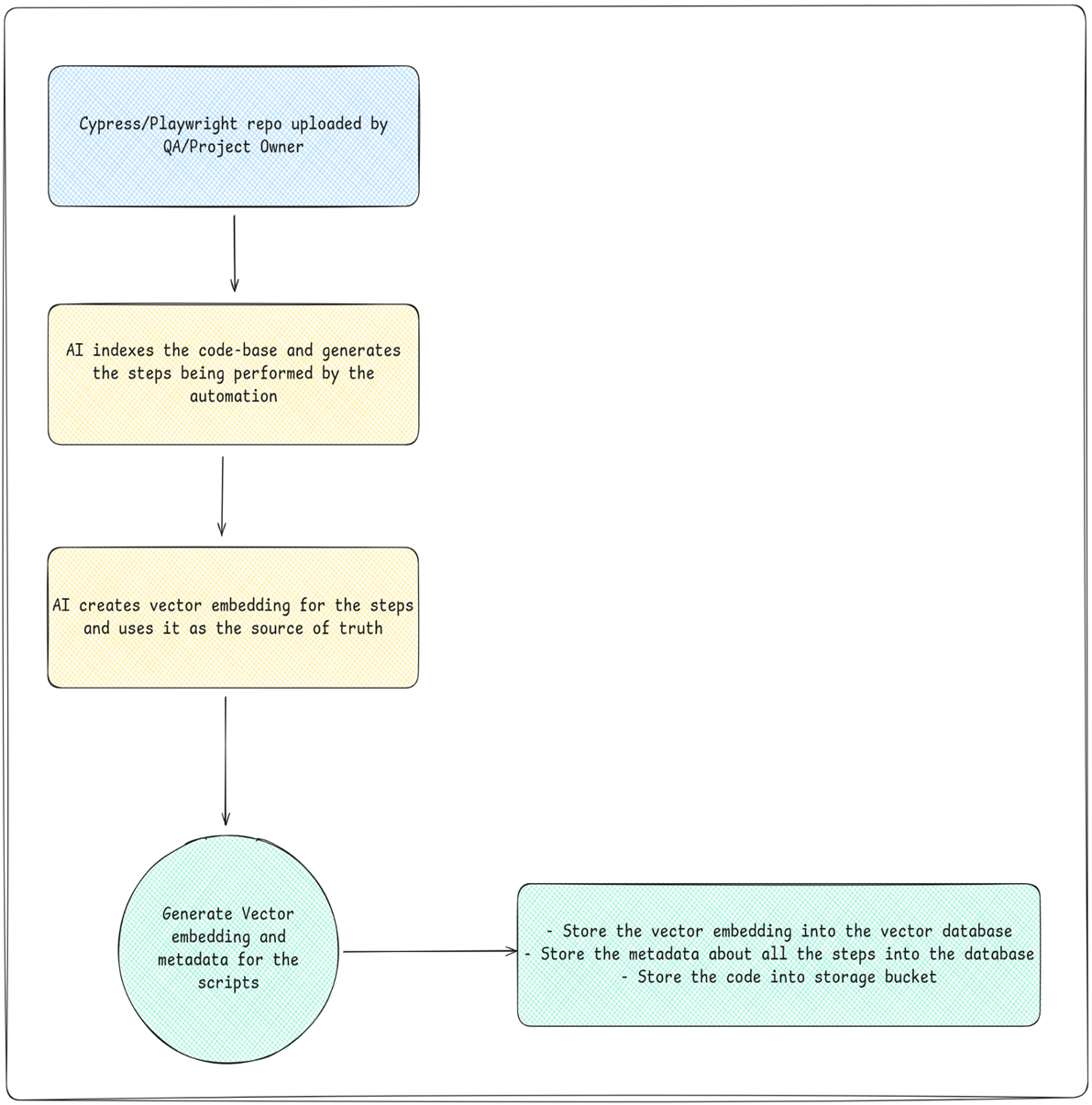 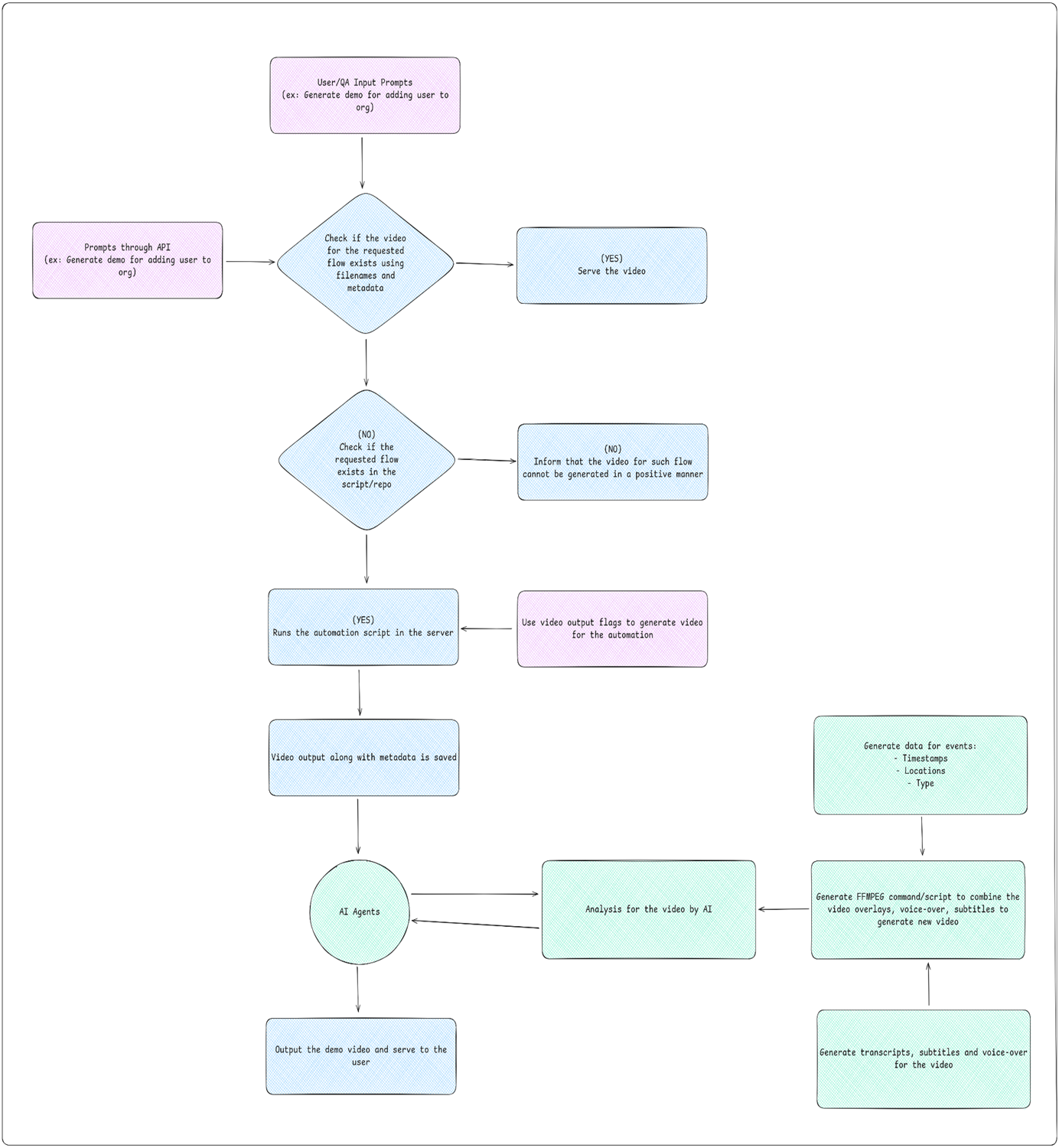 # **AI Parts of the Challenge** 1. Code understanding and generating vector embedding and metadata for the flows 2. Video analysis (events, transitions, etc) 3. Video metadata generation 4. Transcripts, subtitle, voiceover generation 5. FFMPEG script/command generation # **Team plans and goals** 1. First 2 weeks goals to achieve: 1. Finalise the backend architecture (monolith/microservices, vector db, cache, docs, ai tools) 2. Finish the boilerplate of the backend 3. Remove unnecessary elements from the UI and finalize the UI 4. Have some testing scenarios for the qa ready 2. First month goals to achieve: 1. Have all the public and private apis ready 2. Have the code upload \-\> indexing \-\> embedding flow ready (at least in some capacity) 3. Have all the test scenarios ready and begin testing for the code upload flow 4. Start working on the video generation and editing part # **Sequence Diagram** 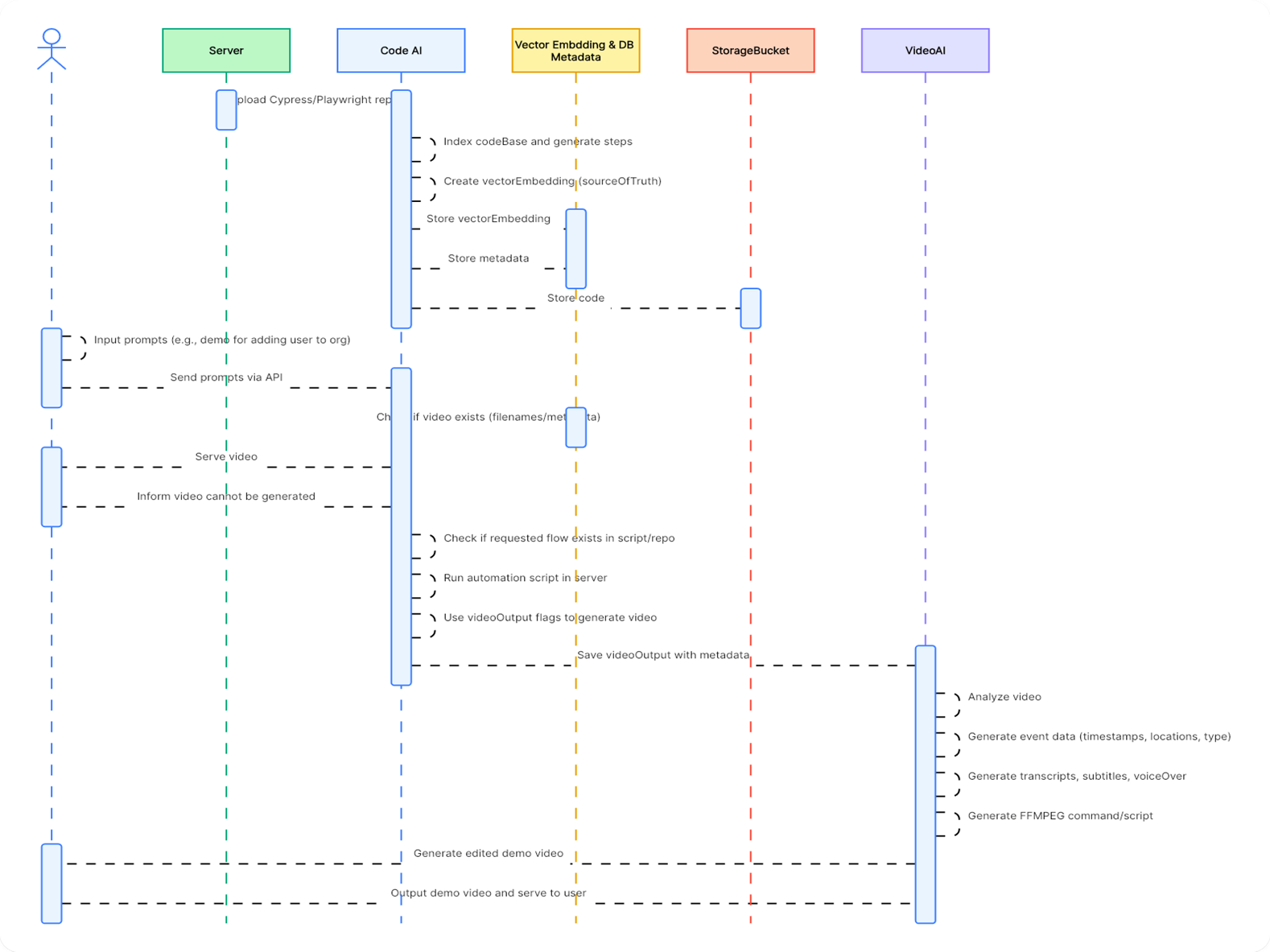 # **ERD** 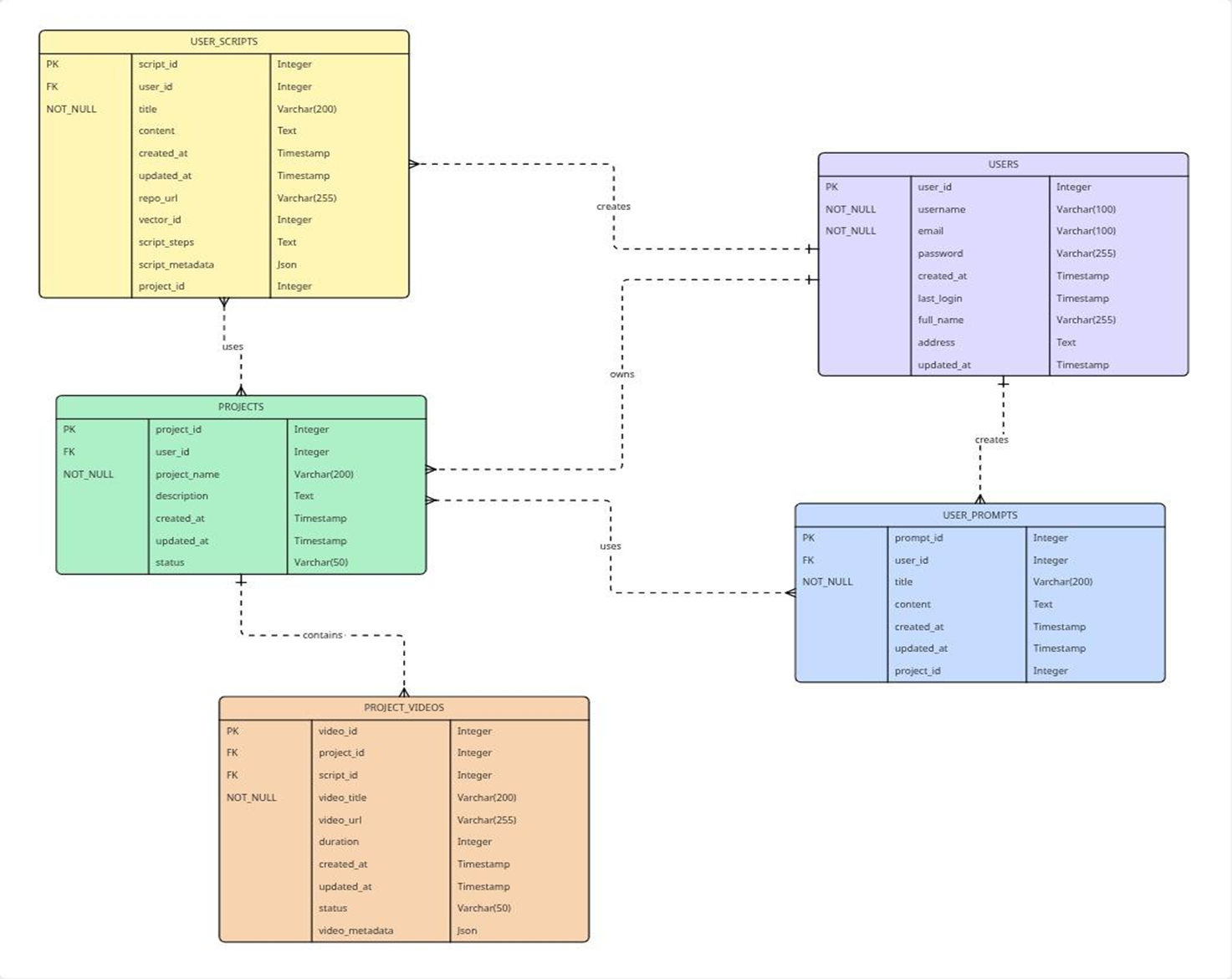 # **Technology Stack** 1. Frontend: React 2. Backend: Microservice of Java and Python 3. LLM: Gemini 2.5-FLash, gemini-embedding-001 4. AI Orchestration: LangChain 5. Integrations: FFMPEG, Automations 6. DB: Postgres (with pgvector) 7. Deployment: Docker, Gitlab CI #